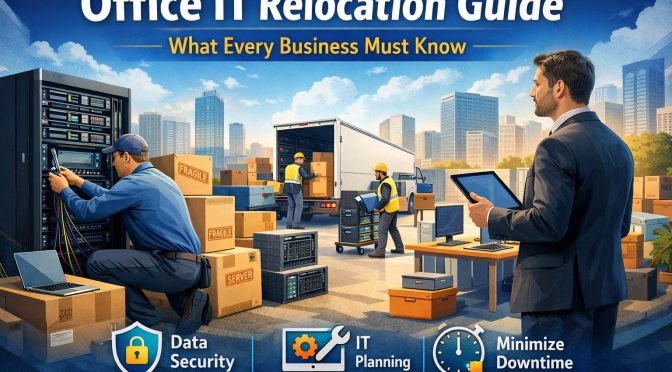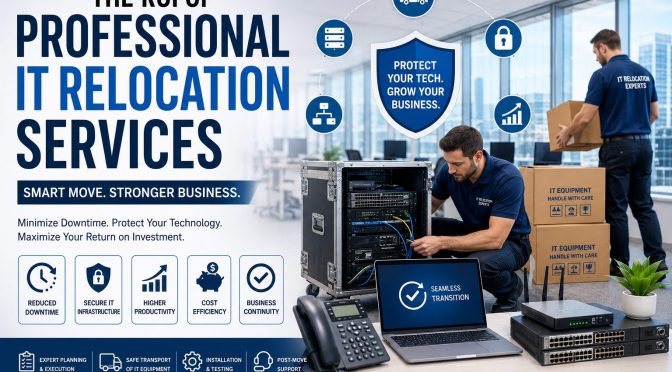
Relocating an office is one of the most challenging projects a business can undertake. Beyond moving desks and furniture, companies must safely transfer servers, networking equipment, workstations, communication systems, and other critical technology without disrupting daily operations. This is where IT relocation services become invaluable.
Professional IT relocation services ensure that your technology infrastructure is moved securely, efficiently, and with minimal downtime. While some businesses consider handling an office move internally to save money, the hidden costs of delays, equipment damage, and productivity loss often outweigh any initial savings.
In this guide, we’ll explore the true return on investment (ROI) of professional IT relocation services and explain why partnering with experienced specialists is one of the smartest investments your business can make.
What Are IT Relocation Services?
IT relocation services involve the planning, transportation, installation, testing, and optimization of an organization’s technology infrastructure during an office move, expansion, or data center migration.
These services typically include:
- Server relocation
- Network infrastructure relocation
- Workstation disconnect and reconnect
- Data center relocation
- Wireless network installation
- Structured cabling
- Audio Visual (AV) equipment relocation
- Cloud migration support
- Technology asset management
- Post-move testing and optimization
The primary objective is to ensure business continuity while minimizing operational disruption.
Why Businesses Choose Professional IT Relocation Services
Modern organizations rely heavily on digital infrastructure. Even a few hours of downtime can result in lost revenue, reduced productivity, missed opportunities, and customer dissatisfaction.
Professional IT relocation experts help businesses:
- Minimize downtime
- Protect sensitive data
- Reduce operational risks
- Improve project efficiency
- Ensure seamless technology transitions
Instead of treating an office move as a logistics project, they manage it as a business continuity initiative.
Understanding the ROI of IT Relocation Services
Return on Investment (ROI) is more than comparing service costs with moving expenses. The real value comes from avoiding costly disruptions and ensuring that employees remain productive throughout the transition.
Key ROI drivers include:
1. Reduced Business Downtime
Downtime is one of the biggest expenses during an office move.
When systems are unavailable, employees cannot access files, communicate with clients, or perform their daily tasks. Professional IT relocation teams follow structured migration plans that significantly reduce downtime by coordinating every stage of the move.
Less downtime means:
- Higher employee productivity
- Faster business recovery
- Improved customer service
- Reduced revenue loss
2. Protection of Critical IT Assets
Servers, switches, storage devices, and networking equipment are expensive and sensitive. Improper handling can lead to hardware failures, data loss, and unexpected replacement costs.
Professional IT relocation services use specialized packing materials, transportation methods, and equipment handling procedures to protect your technology investments.
3. Improved Business Continuity
Every successful office relocation begins with a comprehensive business continuity plan.
Experienced relocation specialists identify potential risks before the move, create backup strategies, and establish recovery procedures that keep operations running even if unexpected challenges arise.
4. Lower Risk of Data Loss
Data is one of a company’s most valuable assets.
Professional IT relocation companies implement secure backup procedures before moving critical infrastructure. They also verify systems after installation to ensure that no data has been lost during the transition.
5. Faster Employee Productivity
A delayed workstation setup means employees spend hours—or even days—waiting to resume work.
Professional teams reconnect computers, monitors, printers, phones, and networking equipment quickly so staff can return to work immediately.
The productivity gains alone often justify the investment.
Hidden Costs of DIY IT Relocation
Many organizations underestimate the complexity of relocating IT infrastructure.
Attempting a DIY move may result in:
- Extended downtime
- Equipment damage
- Data loss
- Network failures
- Poor cable management
- Compliance issues
- Increased employee stress
- Unexpected repair costs
While internal teams understand the business environment, they may lack the specialized tools and expertise required for a seamless relocation.
Key Components of Professional IT Relocation Services
A professional provider typically follows a structured process that includes:
Assessment and Planning
Before moving any equipment, technicians evaluate:
- Existing infrastructure
- Network architecture
- Server requirements
- Office layout
- Cabling needs
- Power requirements
Proper planning minimizes surprises on moving day.
Secure Equipment Packing
Professional packing protects:
- Servers
- Storage arrays
- Switches
- Firewalls
- AV equipment
- Desktop computers
- Network devices
Anti-static packaging and protective cases reduce the risk of damage.
Transportation
Technology assets require specialized transportation to prevent vibration, moisture exposure, and physical impact.
Professional movers use purpose-built equipment to ensure safe delivery.
Installation and Testing
Once equipment reaches the new location, technicians:
- Install hardware
- Configure networks
- Verify internet connectivity
- Test servers
- Validate applications
- Confirm data accessibility
Businesses can resume operations with confidence.
Benefits Beyond Cost Savings
The ROI of IT relocation extends far beyond immediate financial savings.
Businesses also benefit from:
- Improved cybersecurity
- Better cable management
- Network optimization
- Infrastructure upgrades
- Future scalability
- Compliance support
- Enhanced collaboration
Many organizations use relocation as an opportunity to modernize outdated technology.
Best Practices for a Successful IT Relocation
To maximize ROI:
- Start planning early.
- Create a detailed relocation timeline.
- Inventory all technology assets.
- Back up critical business data.
- Label all equipment clearly.
- Test systems before and after the move.
- Communicate with employees.
- Partner with experienced IT relocation professionals.
Choosing the Right IT Relocation Partner
When selecting an IT relocation provider, consider:
- Industry experience
- Certified technicians
- Insurance coverage
- Security procedures
- Proven project management
- Positive client reviews
- Emergency support
- End-to-end relocation capabilities
Choosing the right partner reduces risk and ensures a smoother transition.
Conclusion
Relocating your business technology is far more than moving equipment from one office to another. It is a strategic project that directly impacts productivity, customer satisfaction, and business continuity.
Professional IT relocation services help organizations reduce downtime, protect critical infrastructure, improve security, and ensure a seamless transition to a new workspace. Although hiring experts requires an upfront investment, the long-term return on investment is substantial through lower operational risks, faster recovery, and enhanced efficiency.
Whether you’re relocating a small office or a large enterprise, partnering with an experienced IT relocation provider ensures that your move supports business growth rather than disrupting it.
Frequently Asked Questions
1. What are IT relocation services?
IT relocation services involve planning, transporting, installing, and testing an organization’s technology infrastructure during an office move while minimizing downtime and protecting critical systems.
2. Why should businesses hire professional IT relocation experts?
Professional experts reduce downtime, protect expensive IT equipment, ensure secure data handling, and streamline the entire relocation process.
3. How do IT relocation services improve ROI?
They minimize business disruption, reduce equipment damage, speed up employee productivity, lower operational risks, and improve overall efficiency.
4. What equipment is included in IT relocation?
Services typically cover servers, networking equipment, desktop computers, laptops, storage devices, AV systems, structured cabling, wireless infrastructure, and telecommunications equipment.
5. How can businesses prepare for an IT relocation?
Create a detailed relocation plan, back up critical data, inventory all assets, communicate with employees, and work with an experienced IT relocation provider to ensure a smooth transition.