Running a business without a reliable communication system is like driving a car without a steering wheel—you might move, but you won’t go far safely. For businesses across Virginia, choosing the right phone system has become more important than ever, especially with remote work, customer expectations, and competition increasing every year.
Today, business owners usually face one big question: Cloud PBX or traditional phone systems—what’s the better choice? Let’s break it down in simple, real-world terms.
What Is a Traditional Phone System?
How Traditional PBX Works
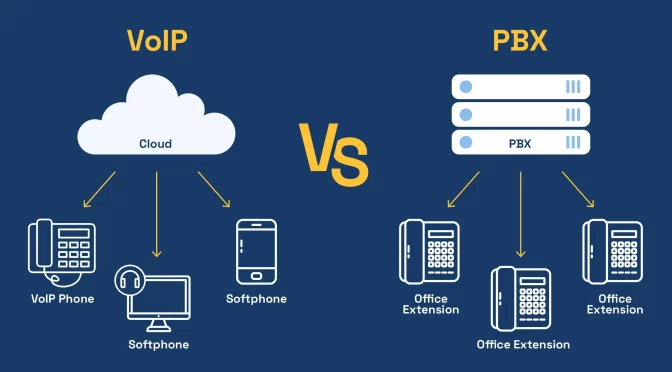
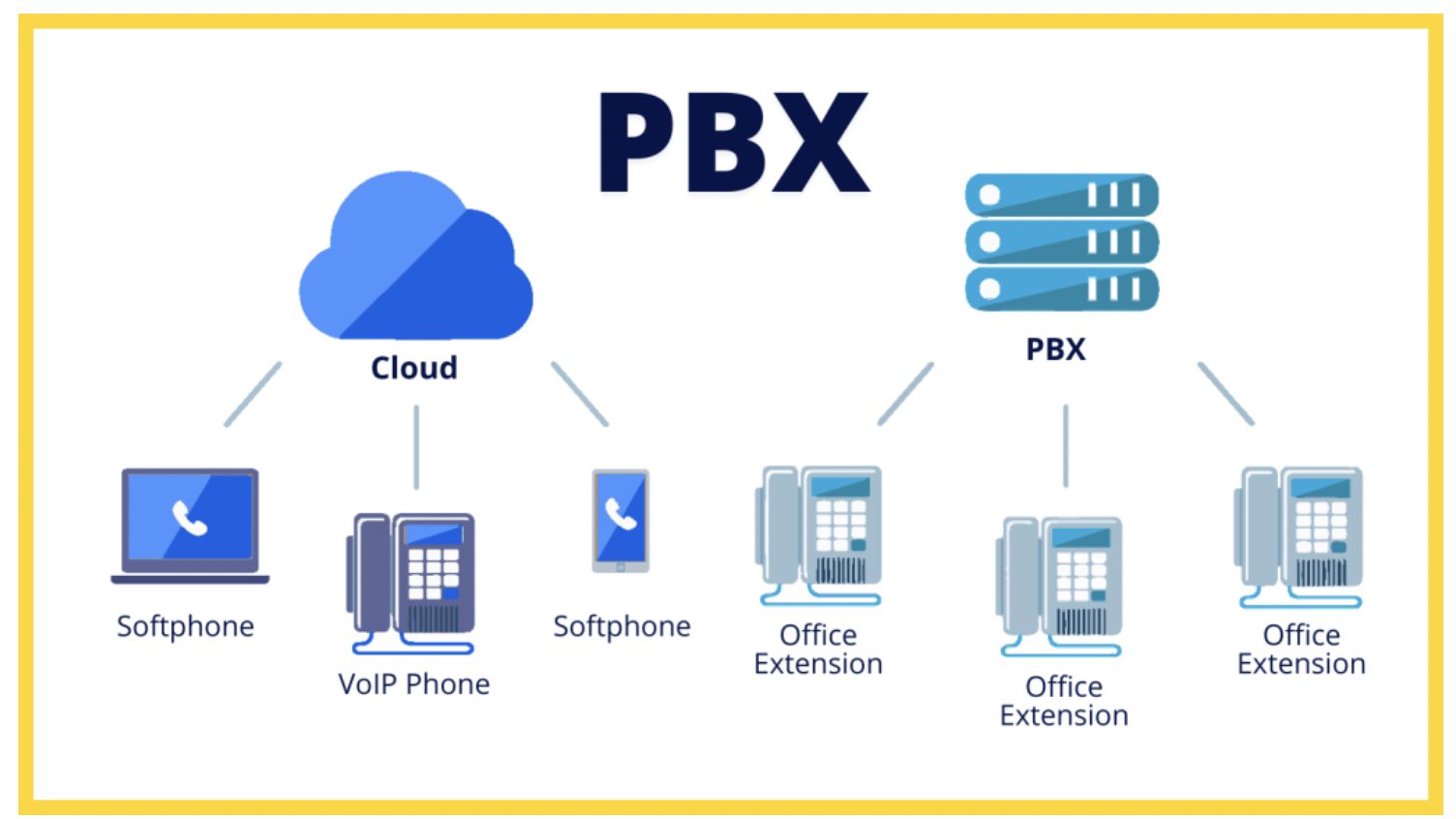
A traditional PBX (Private Branch Exchange) system is an on-site phone system installed inside your office. It relies on physical hardware like servers, wiring, and desk phones.
On-Premise Hardware Explained
Think of it like owning a generator instead of using electricity from the grid. You buy the equipment, install it, and maintain it yourself. If something breaks, you fix it—or call a technician.
Common Features of Traditional Phone Systems
- Internal extensions
- Call transfers
- Voicemail
- Call routing
- Basic conferencing
Typical Businesses Using Traditional Systems
Traditional systems are often used by:
- Old-established companies
- Businesses with zero remote work
- Organizations with in-house IT teams
What Is a Cloud PBX Phone System?
How Cloud PBX Works
A Cloud PBX system runs entirely over the internet. Instead of hosting equipment in your office, everything is managed in the cloud by a service provider.
Hosted VoIP Infrastructure
Imagine Netflix for phone systems—you don’t own the servers, but you enjoy all the features without worrying about maintenance.
Key Features of Cloud PBX
- Virtual phone numbers
- Auto-attendants
- Call recording
- Mobile and desktop apps
- Video conferencing
- Advanced analytics
Businesses That Benefit Most from Cloud PBX
- Small and medium businesses
- Remote or hybrid teams
- Multi-location companies
- Fast-growing startups
Cloud PBX vs. Traditional Phone Systems: Core Differences
Setup and Installation
Traditional systems can take weeks to install. Cloud PBX? You can be live in hours.
Cost Structure and Pricing
Traditional PBX requires heavy upfront investment. Cloud PBX works on a predictable monthly subscription.
Scalability and Flexibility
Adding a new employee to a traditional system often means new hardware. With Cloud PBX, it’s just a click.
Maintenance and Upgrades
Traditional systems need ongoing maintenance. Cloud PBX updates automatically—no extra cost, no downtime.
Mobility and Remote Work Support
Cloud PBX shines here. Employees can take calls from anywhere—home, car, or café.
Cost Comparison for Businesses in Virginia
Initial Investment
Traditional PBX: High upfront cost
Cloud PBX: Minimal setup cost
Monthly and Long-Term Costs
Traditional systems look cheaper monthly but become expensive over time due to repairs and upgrades.
Hidden Costs to Consider
- IT support
- Hardware replacement
- Downtime losses
Cloud PBX keeps costs transparent and predictable.
Reliability and Call Quality
Internet Dependency vs. Physical Lines
Traditional systems depend on phone lines. Cloud PBX depends on the internet. With modern broadband in Virginia, call quality is rarely an issue.
Power Outages and Disaster Recovery
Cloud PBX wins big here. Even if your office loses power, calls can be rerouted to mobiles instantly.
Uptime Expectations in Virginia
Most Cloud PBX providers guarantee 99.9% uptime—far better than many local setups.
Security and Compliance
Security in Traditional Phone Systems
Physical systems are vulnerable to theft, damage, and outdated security.
Cloud PBX Security Measures
Cloud providers use:
- Encryption
- Secure data centers
- Regular security updates
Compliance Considerations for Virginia Businesses
Industries like healthcare and finance often find Cloud PBX easier to keep compliant due to built-in controls.
Remote Work and Multi-Location Businesses
Supporting Remote Teams
Cloud PBX makes remote work seamless. One number, many devices.
Managing Multiple Offices Across Virginia
Whether you’re in Richmond, Fairfax, or Norfolk, Cloud PBX connects all locations under one system.
Ease of Use and Management
IT Skill Requirements
Traditional systems need IT expertise. Cloud PBX can be managed by anyone with basic computer skills.
User-Friendly Dashboards and Controls
Most Cloud PBX platforms offer simple dashboards for call logs, routing, and analytics.
Integration with Business Tools
CRM and Helpdesk Integrations
Cloud PBX integrates with CRMs, ticketing systems, and collaboration tools.
Productivity and Automation Benefits
Automated call routing and reporting save time and reduce human error.
Environmental and Space Considerations
Office Space Requirements
Traditional PBX takes up physical space. Cloud PBX takes none.
Energy Consumption and Sustainability
Cloud systems are more energy-efficient and eco-friendly.
Which System Is Better for Small Businesses in Virginia?
Startups and Growing Businesses
Cloud PBX is usually the smarter choice due to low cost and flexibility.
Budget and Growth Factors
Why pay more now for something you may outgrow soon?
Which System Is Better for Large Enterprises in Virginia?
Legacy Systems vs. Modern Needs
Some large enterprises still use traditional systems, but many are migrating to cloud for agility.
Customization and Control
Cloud PBX now offers enterprise-level customization without the headaches.
Making the Right Choice for Your Virginia Business
Questions to Ask Before Deciding
- Do you support remote work?
- Are you planning to scale?
- Do you want predictable costs?
Future-Proofing Your Communication System
Cloud PBX is built for the future. Traditional systems are slowly becoming a thing of the past.
Conclusion
When it comes to Cloud PBX vs. traditional phone systems, the answer is clear for most businesses in Virginia. Cloud PBX offers flexibility, cost savings, scalability, and remote-ready features that traditional systems simply can’t match anymore. Unless you have very specific legacy needs, Cloud PBX is the smarter, future-proof choice.
FAQs
Is Cloud PBX reliable for businesses in Virginia?
Yes. With strong internet infrastructure, Cloud PBX offers excellent reliability and uptime.
Can I keep my existing phone numbers with Cloud PBX?
Absolutely. Most providers support number porting.
Is Cloud PBX suitable for small businesses?
It’s ideal—low cost, easy setup, and scalable.
What happens if the internet goes down?
Calls can be forwarded to mobile devices automatically.
Is Cloud PBX more secure than traditional systems?
In most cases, yes—thanks to encryption and professional data center security.