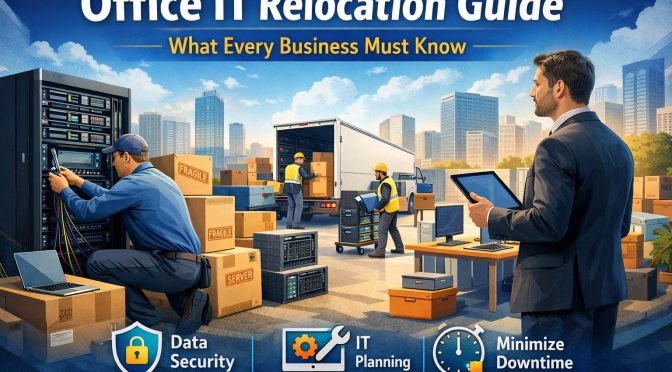
Office IT relocation is the process of moving your entire IT infrastructure—hardware, software, networks, servers, and data—from one office location to another.
It’s not just unplugging computers and loading them into a truck. It’s more like performing open-heart surgery on your business—while keeping it alive.
Why IT Relocation Is More Than Just Moving Computers
Your IT systems control communication, payroll, sales, customer databases, security systems, and more.
If your network goes down for even a few hours, what happens?
- Emails stop.
- Sales systems freeze.
- Employees sit idle.
- Customers get frustrated.
That’s why planning is everything.
Why Proper IT Relocation Planning Matters
Business Continuity Risks
Downtime equals lost revenue. It’s that simple.
Without proper planning, you risk:
- Data loss
- Security breaches
- Hardware damage
- Missed deadlines
Financial Impact of Downtime
Studies show that even small businesses can lose thousands of dollars per hour during IT downtime.
Now imagine losing two full days.
Hidden Costs You Shouldn’t Ignore
- Emergency IT support fees
- Overtime payments
- Replacement hardware
- Lost client trust
Planning saves money. Always.
Key Phases of an Office IT Relocation
Assessment and Planning Phase
Start with a full IT audit. What do you have? What do you need? What should you replace?
Think of it like packing for a trip—you don’t want to carry unnecessary baggage.
Preparation and Infrastructure Setup
Before moving day:
- Install internet at the new office.
- Set up server rooms.
- Prepare structured cabling.
Never wait until the last minute.
Moving and Installation
Label everything. Document configurations. Transport hardware safely.
Professional packing for servers is not optional—it’s essential.
Testing and Optimization
Once installed, test everything:
- Internet speed
- Email systems
- Internal networks
- Security systems
No testing means no peace of mind.
Creating an IT Relocation Strategy
Setting Clear Goals
Ask yourself:
- Are we upgrading infrastructure?
- Are we shifting to cloud systems?
- Are we reducing hardware dependency?
Relocation is a perfect opportunity to improve systems.
Assigning Roles and Responsibilities
Create an IT relocation team:
- IT manager
- Project coordinator
- Department representatives
- External IT consultants (if needed)
Everyone must know their role.
Creating a Timeline
Break tasks into phases:
- 3 months before move
- 1 month before
- Moving week
- Post-move testing
Deadlines prevent disaster.
Inventory Management Before the Move
Hardware Audit
Make a complete list:
- Desktops
- Laptops
- Servers
- Switches
- Routers
- Printers
Replace outdated equipment now—not after the move.
Software and Licensing Check
Verify:
- License validity
- Subscription renewals
- Cloud access credentials
Don’t move expired systems.
Data Backup and Security Measures
Before unplugging anything:
- Perform full backups
- Store copies off-site
- Test backup restoration
Better safe than sorry.
Data Protection During IT Relocation
Importance of Data Backup
Data is your company’s goldmine. Losing it can mean losing your business.
Always create multiple backups.
Cybersecurity Risks During a Move
Moves create vulnerabilities:
- Unsecured devices
- Lost hardware
- Weak network setup
Hackers love chaos.
Encryption and Secure Transport
Encrypt sensitive data before transport.
If possible, use secure containers and trusted IT movers.
Network Infrastructure Setup at the New Office
Internet Connectivity Planning
Order high-speed internet early.
Consider:
- Primary ISP
- Backup ISP
- Dedicated business lines
Redundancy reduces risk.
Server Room Design
A proper server room should have:
- Cooling systems
- Fire suppression
- Restricted access
- Stable power supply
Heat is the enemy of servers.
Structured Cabling and Power Management
Clean cabling = fewer future problems.
Use labeled, organized cable systems to avoid confusion.
Choosing Between In-House vs Professional IT Movers
Benefits of Hiring IT Relocation Specialists
Professionals offer:
- Risk reduction
- Faster setup
- Insurance coverage
- Technical expertise
Sometimes DIY costs more in the long run.
Cost Comparison and ROI
Yes, professionals cost money.
But compare that to:
- Data loss
- Two days of downtime
- Rebuilding networks
ROI becomes obvious.
Minimizing Downtime During IT Relocation

Weekend or After-Hours Moves
Move outside business hours whenever possible.
It’s like renovating your house while sleeping somewhere else.
Phased Migration Strategy
Move department by department instead of everything at once.
This reduces total risk.
Communication Plan for Employees
Internal Communication Strategy
Keep employees informed:
- Move dates
- Downtime expectations
- Temporary work arrangements
Confusion kills productivity.
Employee IT Training After Relocation
New systems? New layouts?
Train your team quickly to adapt.
Testing IT Systems After the Move
Network Testing
Check:
- Internet speed
- VPN access
- File sharing
No assumptions—test everything.
System Functionality Checks
Confirm:
- Software access
- Email systems
- Cloud synchronization
Disaster Recovery Testing
Run a mock recovery test.
If disaster strikes, are you ready?
Compliance and Legal Considerations
Data Privacy Regulations
Ensure compliance with:
- GDPR
- HIPAA
- Local data protection laws
Relocation doesn’t excuse violations.
Industry-Specific Compliance Requirements
Financial, healthcare, and legal firms must follow strict IT standards.
Consult compliance experts if necessary.
Budgeting for Office IT Relocation
Direct Costs
- Equipment transport
- IT consultants
- New infrastructure
- Internet setup fees
Indirect Costs
- Downtime
- Productivity loss
- Temporary solutions
Contingency Planning
Always keep 10–20% extra budget for surprises.
Because surprises will happen.
Common Mistakes to Avoid
Poor Planning
Last-minute moves lead to chaos.
Ignoring Data Security
One lost hard drive can cause massive damage.
Underestimating Downtime
Plan for delays. Always.
Future-Proofing Your IT Infrastructure
Cloud Integration Opportunities
Relocation is a great time to adopt:
- Cloud storage
- SaaS tools
- Virtual servers
Less hardware = more flexibility.
Scalability Planning
Will your team grow next year?
Design infrastructure that grows with you.
Conclusion
Office IT relocation isn’t just about moving devices—it’s about protecting the heart of your business.
Plan early. Backup everything. Communicate clearly. Test thoroughly.
Think of it like moving a living organism. Every wire, server, and database keeps your company alive. Handle them with care, and your relocation will be smooth.
Ignore the details, and the cost can be painful.
Preparation is power.
FAQs
1. How long does office IT relocation take?
It depends on business size. Small offices may take 1–3 days, while large enterprises may require weeks of phased migration.
2. How can we protect data during relocation?
Perform full backups, encrypt sensitive data, and use secure transport methods.
3. What is the average cost of IT relocation?
Costs vary widely based on infrastructure size, complexity, and downtime requirements.
4. Should we upgrade IT equipment during relocation?
Yes. Relocation is the best time to replace outdated hardware and improve infrastructure.
5. How do we minimize employee disruption?
Communicate clearly, move during non-business hours, and test systems before reopening operations.